Start Wrench - Launch and Optimize Your Gaming Setup

Start Wrench is a small Windows app for preparing a gaming or sim racing session. It keeps your most important tools in one starter list, shows what is already running, and includes an analyzer that helps you close unnecessary background processes before you drive.
Download: Grab the latest prebuilt Windows package from the GitHub releases page - no installation required.
Why I built it
Before a sim racing session I often start the same tools again and again: telemetry apps, button box helpers, overlays, launchers, scripts and sometimes a browser tab with track notes. At the same time, Windows tends to keep plenty of other things running in the background.
Start Wrench puts both parts into one simple tool:
- start the programs and files you need
- see which configured tools are already running
- find background apps that are usually not needed while gaming
- close recommended process groups before starting a session
Features
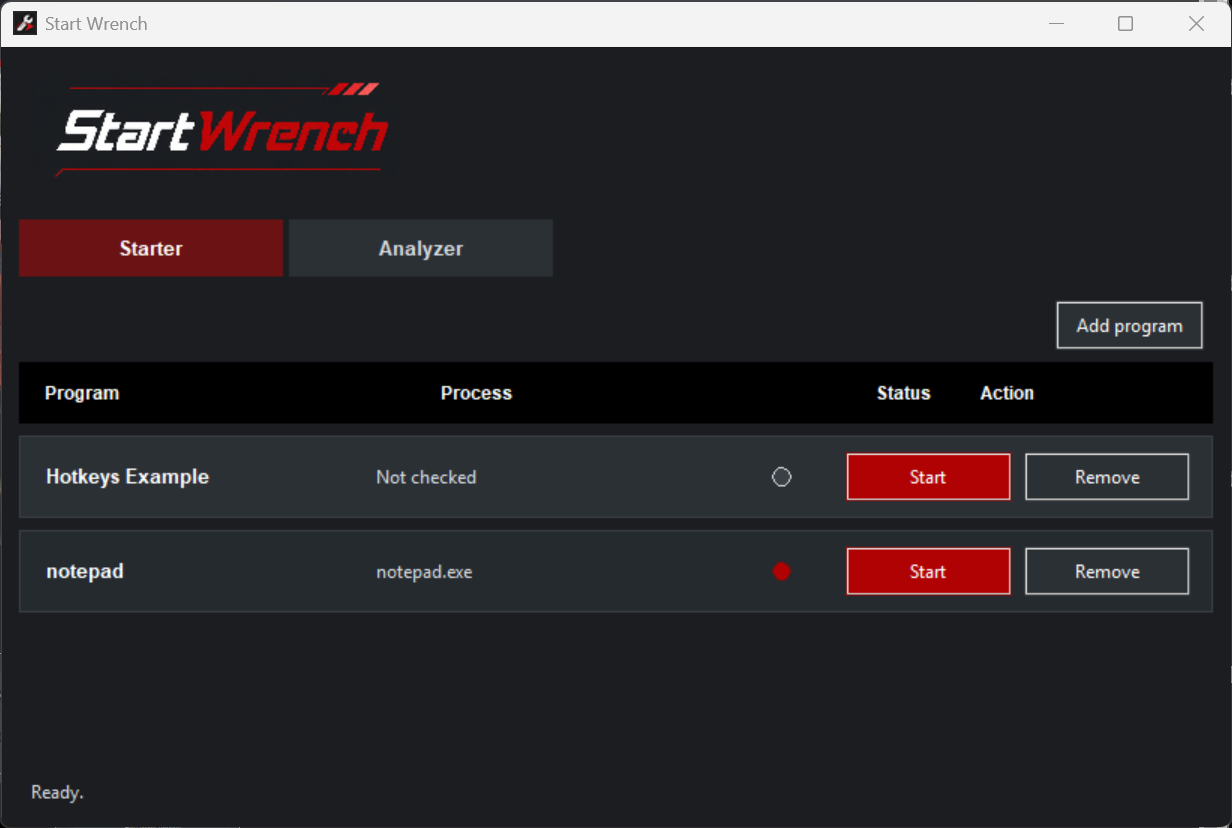
- Starter tab for configured programs, files and scripts
- Green and red status dots for running or stopped programs
- Add and remove starter entries directly in the GUI
- Automatic process-name detection for added
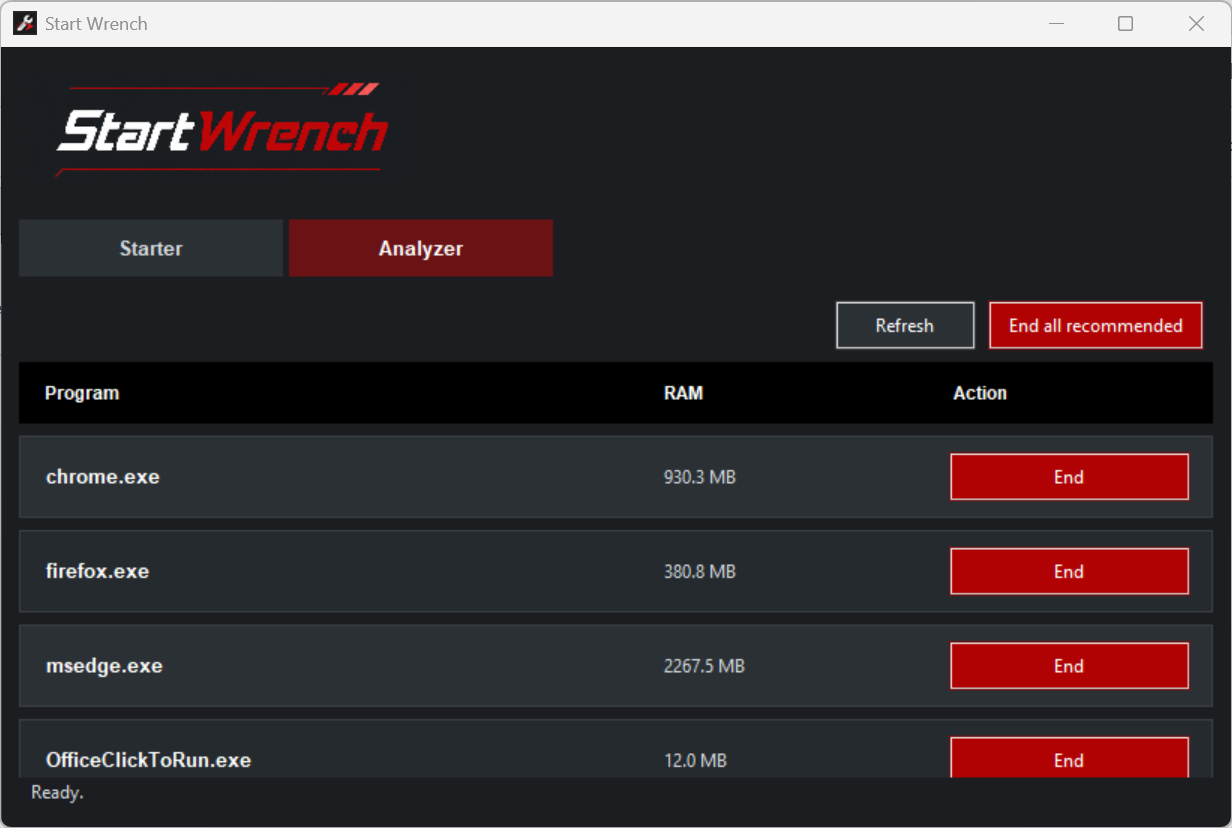
.exefiles - Analyzer tab for unnecessary background processes
- Grouped RAM usage per recommended process
Endbuttons per process group and anEnd all recommendedaction- Protected system processes are shown but cannot be ended from the app
- Works without administrator permissions
Analyzer
The Analyzer scans running processes and recommends candidates that are often safe to close before gaming: browsers, messengers, cloud sync clients, launchers, overlays, update helpers, printer tools, RGB/peripheral suites and similar background apps.
Unknown processes are ignored for safety. Important system processes are listed as protected, so the app focuses on cleaning up obvious background load instead of blindly killing everything.
Quick start
- Download
Start-Wrench-windows.zipfrom the GitHub releases page - Extract the ZIP to any folder
- Run
Start-Wrench.exe - Add your racing tools, scripts or launchers in the Starter tab
- Open the Analyzer tab before driving and close anything you do not need
No installer is needed. The app stores your starter entries locally in programs.json, so updates do not overwrite your personal setup.
Configuration
Most users can configure everything through the GUI. Power users can edit programs.json manually for advanced options like start arguments, working directories, multiple process names or a custom refresh interval.
The Analyzer rules live in config.json, so the recommendation list can be adapted to your own system and workflow.
Development
Start Wrench is built with Python 3 and Tkinter. psutil is used for process detection and analysis. Windows release builds are packaged with PyInstaller through GitHub Actions.
Run from source:
python app.pyOr use the helper script:
.\start.batLinks
- Download: github.com/vgarcia007/Start-Wrench/releases
- Source Code: github.com/vgarcia007/Start-Wrench